 Relay Publish
The short answer
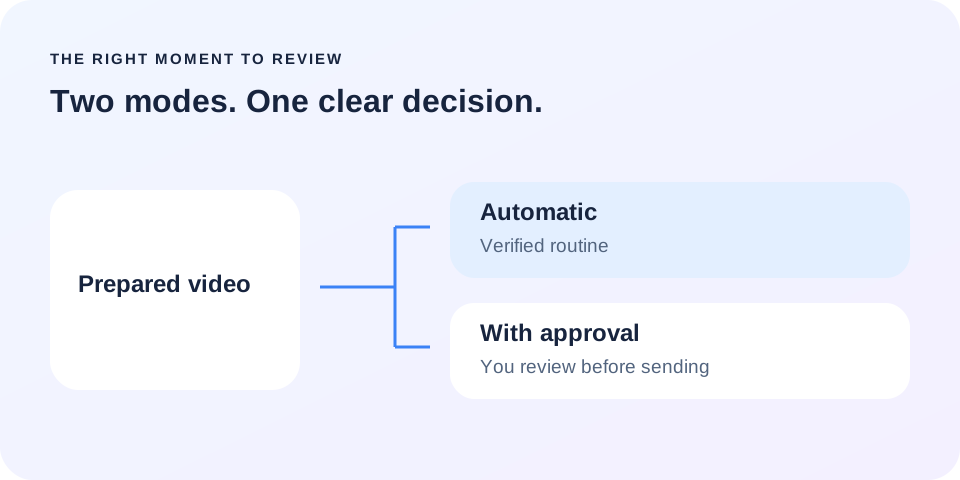
Use automatic publishing for a stable, verified preparation routine. Choose approval for sensitive campaigns, covers that need checking or a newly connected account. Always verify destinations before enabling a rule.
1. Understand what actually changes
In automatic mode, detecting a video can start preparation and then send it to selected destinations. Approval mode stops before distribution: you review available assets and confirm. Content waiting for that decision is not a failed upload, and reconnecting an account will not provide the missing approval.
This choice controls the transition to sending, not the artistic quality of your edit. Technical constraints, rights and platform permissions apply in both modes. A rule cannot make an ineligible account an available destination.
2. Use automation for a verified routine
A regular series using the same accounts and a tested preparation method is a better candidate for automatic publishing. Start with one representative video and review its outcomes before extending the routine. Know exactly which source is monitored and where new videos from that source can go.
Avoid changing the source, destinations and format all at once. If something goes wrong, you will struggle to identify the cause. Update the rule step by step and keep a clear understanding of each change.
3. Review sensitive content before sending
A brand campaign, time-sensitive announcement or video with important text often deserves approval. Check the retrieved cover, adapted captions and selected accounts. Correcting an asset before sending is usually simpler than dealing with the wrong publication afterward, especially across several destinations.
A routine video can follow your usual workflow. A partnership announcement first gets a review of its wording, disclosures and cover.
Approval is also useful after connecting a new account, when you are still verifying its destination.
4. Automation is not a substitute for consent
Some networks require specific steps before a transfer. TikTok requires a compliant interface for creator information, publishing options and consent. A global Relay setting cannot replace those requirements or silently make a visibility decision on behalf of the creator.
TikTok production availability and Snapchat access still depend on external approvals. Check the integrations page instead of assuming every network has the same workflow. A simulated demonstration on the website is not a real publication and does not prove an account is eligible.
5. Finish with a short, useful check
After approval or an automatic start, review the outcome for each destination. A sent video can still be processing. Keep successful publications and address only the network that needs action. Repeating the entire workflow without checking the status can create confusion rather than solve it.
Relay brings the rule, prepared assets and tracking into one workflow. The public app is in preparation. Join the waitlist to discover the approach and hear about early access: fewer repeated operations, with a clear decision at the right moment.
Put this into practice with Relay
Choose an authorized Instagram source, your destinations and whether to approve each video before publishing. Check compatibility before joining: the public iPhone app is in preparation.
Before you move on
- Check the source and destinations.
- Automate a routine you have already verified.
- Review campaigns and newly connected accounts.
- Respect specific consent and verify final outcomes.
Official references
Platform rules can change. Check these sources for eligibility and technical constraints.
Practical guidance, not a promise of reach. Examples are illustrative. The Relay Publish public app is in preparation; platform access and permissions remain required.