 Relay Publish
The short answer
Review the video, cover and caption separately. Keep information that remains accurate, update what has changed and avoid reposting a version whose promise no longer matches reality.
1. Watch as someone discovering it for the first time
Set the original publication aside. Play the file from beginning to end without reading old comments. Note the promise conveyed in the opening seconds: lasting advice, an announcement for a specific date or a demonstration of an older interface. The edit may still look appealing while providing information that is no longer accurate.
Make a short list of items to check: names, dates, displayed prices, referenced links and tutorial steps. This is not a search for visual perfection. You are identifying information that could lead someone to make the wrong decision today, rather than rebuilding every aesthetic detail or copying the old caption unchanged.
2. Check information that can change
Open the actual page mentioned and check whether it still delivers what the video promises. For a tutorial, try the important step in the service’s current version. If you cannot confirm it, acknowledge the uncertainty rather than assuming the workflow has remained identical since filming. Keep observations separate from what you remember.
Take particular care with an old offer: do not revive a call to claim an expired price. A clearly dated account of an experience can still be useful. Adding a caption may not be enough when the picture and voice explicitly say something different. Prioritize what a viewer will actually see and hear.
3. Choose between keeping, contextualizing and re-editing
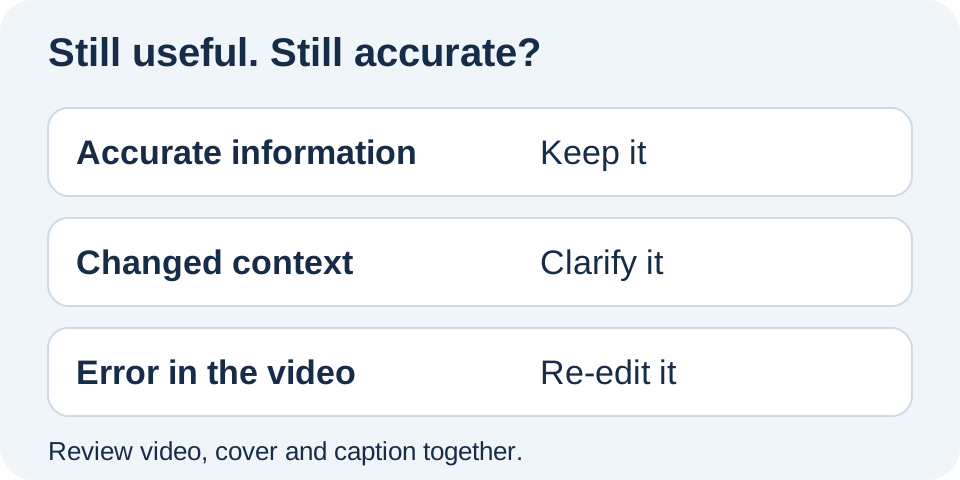
If the advice remains accurate, adding context may be enough. If only the post text needs changing, prepare an adapted caption. If the error is spoken or embedded in the picture, correct the edit before distributing a new file. Keep a clear reference version separate from the older export.
An exercise demonstration is still useful, but its introduction announces a workshop that has finished. Keep the demonstration and prepare a current introduction rather than hiding the old date in a long caption.
The corrections guide also separates changes before and after distribution.
4. Align the cover, text and next step
An old cover may still display the date removed from the edit. Read it alongside the title and caption: they should communicate the same message. Also check phrases such as “link in bio,” which may now send people somewhere different. Do not keep wording simply because it attracted clicks the first time.
You can make present-day usefulness clearer without inventing novelty. Explain what someone can learn now. The call-to-action guide helps choose a practical next step for each network without promising reach or guaranteed conversions. Check the destination yourself before asking your audience to use it.
5. Review before distributing the new version
For this content, use an approval workflow when available. Compare the prepared version with the file you reviewed and check its destinations. In Relay, monitoring new source videos does not mean an entire archive is automatically imported or that historical facts will be checked for you. Editorial judgment still comes first.
Once you have decided what deserves reuse, distribution can become simpler. Relay brings preparation and tracking together without guaranteeing the accuracy of an old announcement. The public app is in preparation: join the waitlist to discover this iPhone workflow and keep control of content that deserves one last review.
Put this into practice with Relay
Choose an authorized Instagram source, your destinations and whether to approve each video before publishing. Check compatibility before joining: the public iPhone app is in preparation.
Before you move on
- Understand the promise without old context.
- Check dates, links and changing information.
- Update the edit and cover when necessary.
- Approve the current version before distribution.
Official references
Platform rules can change. Check these sources for eligibility and technical constraints.
Practical guidance, not a promise of reach. Examples are illustrative. The Relay Publish public app is in preparation; platform access and permissions remain required.