 Relay Publish
The short answer
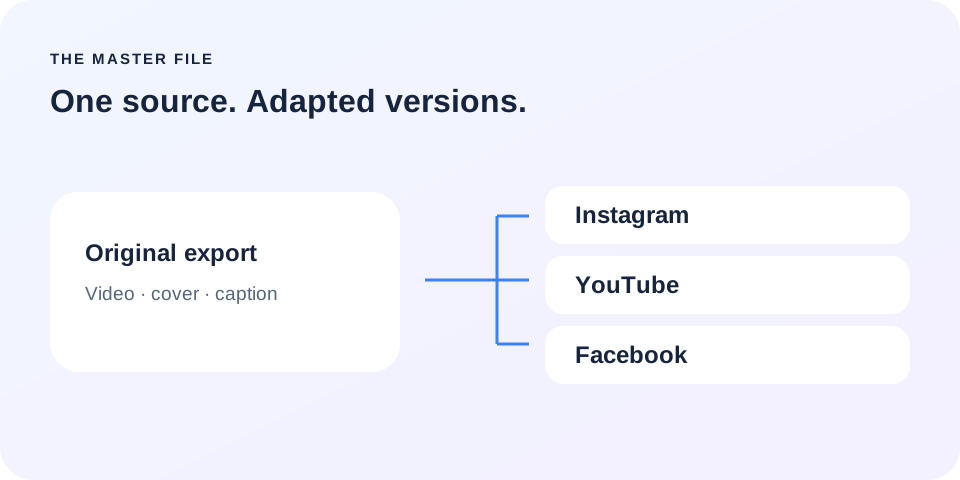
Keep an export independent of social platforms, with its cover and caption alongside it. Then adapt each destination: one shared file simplifies preparation, but does not make every platform rule identical.
1. Keep an export before you publish
Your original is the version you keep before platforms download or transform it. Export it from your editor and watch it once in Photos. Check the opening, ending, sound and on-screen text. A mistake inside the file will travel with every copy, so this is a useful moment to catch it.
Avoid starting each repost by downloading whichever copy you find first. It may have been cropped, include added elements or differ from the version you intended to distribute.
2. Make a small publishing kit
Create one folder per video with a clear subject, date and version. Put the video, cover image and reference caption inside. A name such as morning-routine-v2 is easier to recognize than three files called final. You should understand its purpose without reopening the edit.
This kit remains useful if you change tools. When making a correction, replace the reference version and note what changed. Keep working drafts separate from the file that is actually ready to publish.
3. Check the format, not a magic formula
A vertical frame is practical for content designed for phones. Pay attention to text near the edges: interface buttons and captions can cover it. Keep important information comfortably inside the frame, then check the intended destination’s preview instead of assuming identical layouts everywhere.
YouTube provides encoding recommendations, including MP4, H.264 and AAC. These are technical references, not universal acceptance guarantees. Duration, file size, account eligibility and publishing format still need separate checks for each destination.
4. Separate content from platform options
Your Instagram caption can be a starting point, but a YouTube title has a different purpose. Custom covers are not supported in exactly the same way across all formats either. Prepare the assets without assuming they can be transferred unchanged to every platform you select.
Music added inside an app needs its own check before reuse elsewhere. Keep relevant license information with your kit. For the next preparation steps, read the guides on captions and covers.
5. Automate repetition, not important checks
In Relay, an authorized source and selected destinations define the workflow. Available media can be prepared for publishing; keeping your original export remains useful if a platform does not provide the file you expected. The source connection does not replace your own production archive.
After sending, review the result for each network and open its confirmed link. The goal is not blind duplication: it is a clear path from one video and its supporting assets to a verified outcome. Platform permissions still apply.
Put this into practice with Relay
Choose an authorized Instagram source, your destinations and whether to approve each video before publishing. Check compatibility before joining: the public iPhone app is in preparation.
Before you move on
- Watch the original export on your phone.
- Keep the cover and caption with the video.
- Check the version, music and destinations.
- Review confirmed outcomes after upload.
Official references
Platform rules can change. Check these sources for eligibility and technical constraints.
Practical guidance, not a promise of reach. Examples are illustrative. The Relay Publish public app is in preparation; platform access and permissions remain required.