 Relay Publish
The short answer
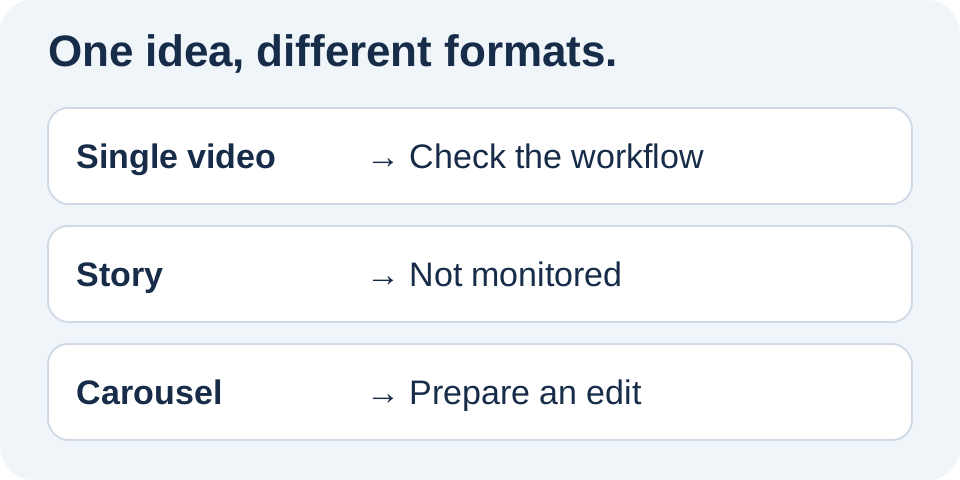
Relay’s current Instagram workflow monitors media supplied as videos by the authorized account. It does not monitor Stories or split carousels into individual assets. Prepare a standalone video file when adapting another format.
1. Identify what you actually published
Open the source post and look at how people view it. A single video plays as one media item. A carousel requires moving between items and can combine images and videos. A Story belongs to another workflow, even when it shows the same edit.
Do not rely only on a vertical frame or thumbnail. A vertical photo remains an image, and a video in a multi-item sequence remains part of that collection. Record the source link and format before looking for a technical connection problem. The appearance of the preview is not enough to identify the content being monitored.
2. Check the scope of Relay’s workflow
In its current workflow, Relay reads media from the authorized Instagram account and selects items supplied as single videos. It does not read a Stories feed or automatically extract each carousel item. This is a product limit, not evidence that the account has disconnected.
Next, check that the correct source is selected and the rule is enabled. A connected destination does not automatically become a monitored account. Older content and new publications should not be confused either. Read how it works to review source, destinations and approval in the appropriate order before making unnecessary changes to your connections.
3. Turn another format into an actual edit
If a carousel contains a useful tutorial, prepare a video that explains its progression. Choose the order, reading pace and necessary transitions in your editing tool. Exporting a single image will not preserve the explanation contained in the remaining slides.
A carousel shows three bicycle adjustment steps. Its video version demonstrates each action, adds useful context and ends with a recap. It becomes standalone content, not a promise of automatic conversion by Relay.
For a Story, check that the content makes sense outside its sequence and without its interactive sticker. A poll or native link does not gain the same function inside a video file.
4. Choose the destination format separately
A video made from images may be ready for another network without qualifying for every format that network offers. Naming your file Reel does not make it a YouTube Short. Check the destination’s criteria and exact account, then watch your export before sending it.
Keep the cover and text alongside the file. Native source options are not always transferable assets: a sticker, link or interaction may need a different presentation. The guide to Instagram to YouTube Shorts helps prepare that workflow without assuming networks are interchangeable. Assess each destination rather than treating the source format as a universal approval.
5. Test with compatible content
Start with a single video whose file and permissions you control. Check its detection, approval mode and outcome for each destination. If it is detected but not sent, inspect the next stage. Randomly changing the format will not resolve a missing permission or a decision still waiting for approval.
Relay aims to provide a clear workflow for compatible videos, not reproduce every kind of Instagram post. TikTok and Snapchat access remains subject to the approvals described on the site. Join the waitlist to discover the iPhone app and its integrations with precise expectations about what it can prepare and what still needs your work.
Put this into practice with Relay
Choose an authorized Instagram source, your destinations and whether to approve each video before publishing. Check compatibility before joining: the public iPhone app is in preparation.
Before you move on
- Identify the source format before reconnecting.
- Check the monitored source and rule.
- Prepare a standalone edit when needed.
- Review each destination’s criteria and outcome.
Official references
Platform rules can change. Check these sources for eligibility and technical constraints.
Practical guidance, not a promise of reach. Examples are illustrative. The Relay Publish public app is in preparation; platform access and permissions remain required.