 Relay Publish
The short answer
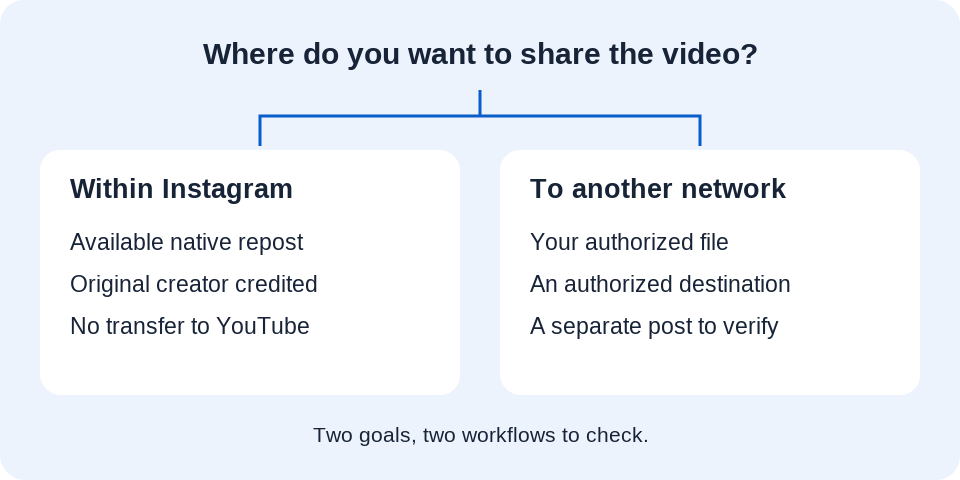
For attributed sharing inside Instagram, check its native repost feature. To publish your own video on another network, you need an accessible file, an authorized destination and a separate publication. Relay supports that second workflow where its integrations are available.
1. Name the destination before choosing a button
Write down the result you need: recommending a Reel to your Instagram followers, publishing your video on a YouTube channel or adding it to a Facebook Page. These outcomes involve different actions. A sharing button inside one app does not establish that a new media file will be transferred to another service or appear on the account you intended.
If your goal stays within Instagram, inspect the native options shown on the content. For an external destination, identify the receiving account. The iPhone cross-posting workflow explains how the source and selected destinations differ.
2. Understand what native reposting preserves
Meta describes Instagram reposts as sharing public Reels and posts with attribution to the original creator. This is an Instagram feature. That attribution does not automatically create a post on another platform, nor does it grant a general permission to download a piece of content and redistribute it elsewhere.
Check what the interface actually offers on your account. A video appearing in your feed may belong to someone else. Keep recommending that content within its original network separate from publishing a copy as media on a different destination, with its own requirements.
3. Identify your file for an external publication
When distributing a video you created, retain the original export and its supporting assets: cover, caption and any subtitles. A Reel link does not guarantee that every resource will be available in the same form. Inspect the prepared media before expecting a successful result elsewhere. Keep that review tied to the actual file, not just its link.
To recommend a colleague’s Reel on Instagram, check native sharing. To publish your own tutorial on your YouTube channel, prepare the media and authorize that channel as a destination.
The original-file guide explains which assets to keep.
4. Check each receiving account
An Instagram connection does not grant permission to publish on YouTube or Threads. Each service has its own authorization and requirements. With Facebook, distinguish the person authorizing the connection from the Page that should receive the Reel. A familiar account name is insufficient evidence that the right destination has been selected.
Review the selected accounts and prepared assets. Use an approval step for initial tests when you want to check before sending. External restrictions and approvals still apply, particularly to networks where integration availability remains conditional. Do not treat an available connection button as proof of publishing access.
5. Verify a separate outcome on each network
After sending, open the final link when it is confirmed. Check the account, text, available cover and visibility. Successful sharing inside Instagram does not confirm a YouTube publication. One destination can also succeed while another still requires action. Preserve those confirmed outcomes while investigating only the destination that needs attention.
Relay brings preparation and tracking together for compatible destinations; native reposting does not become a universal publishing command. Check the current integrations, then join the waitlist for news of the public iPhone app in preparation. Follow a verifiable path from authorized media to each network’s confirmed result.
Put this into practice with Relay
Choose an authorized Instagram source, your destinations and whether to approve each video before publishing. Check compatibility before joining: the public iPhone app is in preparation.
Before you move on
- Name the destination before selecting a button.
- Separate native sharing from a new media transfer.
- Own the video or have permission to reuse it.
- Check the receiving account and final outcome on each network.
Official references
Platform rules can change. Check these sources for eligibility and technical constraints.
Practical guidance, not a promise of reach. Examples are illustrative. The Relay Publish public app is in preparation; platform access and permissions remain required.