 Relay Publish
The short answer
Check the upload outcome, destination and network visibility setting separately. A working link alone does not prove a video is public: an unlisted YouTube video can also be accessible through its link.
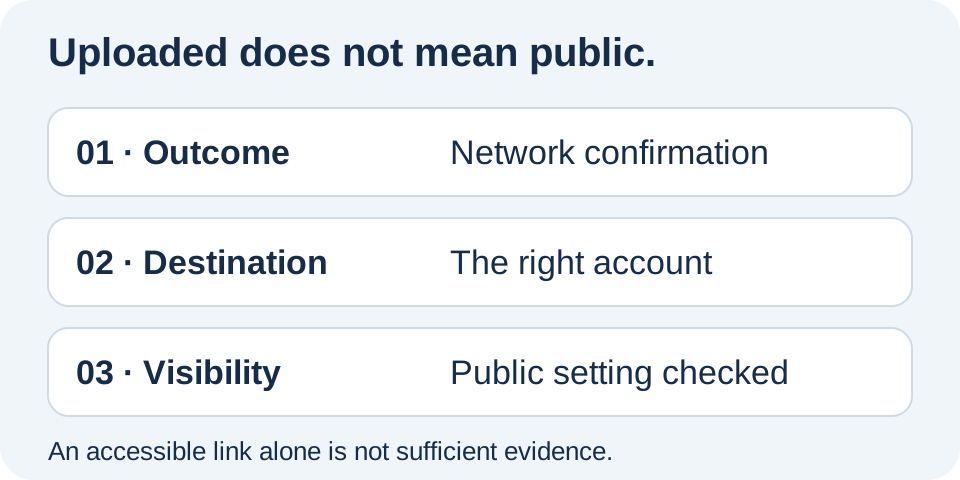
1. Start with the network outcome
Find the relevant video in your publishing history. Separate a transferred file, content still processing and a confirmed outcome. If one destination needs an action, focus on that destination instead of restarting every publication. Keep the available link and note the actual message rather than replacing it with a vague description.
This first check answers a specific question: has the network completed its workflow? It does not replace a visibility check. No views immediately after an upload establishes neither a technical failure nor a privacy problem. Avoid making a decision based only on the counter when more direct information is available.
2. Check where you are looking
Open the final link and inspect the channel, Page or profile name. If you manage several brands, compare it with the destination selected in Relay. Similar profile pictures make accounts easy to confuse; an exact name and link are more reliable than remembering which account you connected most recently.
Do not change an entire automation rule to resolve one unidentified destination. Establish which account is involved first. The guide to separating accounts and workspaces helps organize activities before the next upload. Keep other confirmed results as references while you inspect the affected destination.
3. Read the visibility setting
On YouTube, inspect the video’s visibility in Studio. Public, private and unlisted are different choices. Do not infer the setting from being able to play a video while signed in as its owner: your access may be broader than a viewer’s access.
Your YouTube link opens on another phone. Before announcing a public release, check whether Studio says Public or Unlisted.
For other networks, consult their own controls and messages. An access test is supplementary evidence, not a replacement for checking the setting. Make sure you are examining the specific post rather than a channel default.
4. Correct visibility without creating another copy
If the video exists on the right account, see whether the network lets you change its current setting. Another upload may not be necessary. Review the outcome after any change: keep the same link when editing the existing publication, then check what you intend to announce to your audience.
If a message identifies a restriction or review, follow the platform’s stated action. Relay cannot remove an external restriction merely by requesting public publishing. Do not work around uncertainty by repeatedly sending the file. Use the duplicate-prevention workflow before making another attempt and preserve links to successful destinations.
5. Keep a simple record of the outcome
For an important campaign, retain the link, destination and checked setting in your usual tracking notes. This small record prevents repeating the diagnosis whenever someone asks a question. Then check that the caption and cover match the announced content without turning the process into continuous monitoring of every counter.
Relay brings preparation and per-destination tracking together to reduce repeated manual steps. Requested visibility remains subject to network rules and does not guarantee recommendations. The public app is in preparation: join the waitlist to discover this iPhone workflow and the practical checks that help keep distribution understandable.
Put this into practice with Relay
Choose an authorized Instagram source, your destinations and whether to approve each video before publishing. Check compatibility before joining: the public iPhone app is in preparation.
Before you move on
- Separate the final outcome from file transfer.
- Verify the account and final link.
- Read visibility on the relevant network.
- Check the existing post before uploading again.
Official references
Platform rules can change. Check these sources for eligibility and technical constraints.
Practical guidance, not a promise of reach. Examples are illustrative. The Relay Publish public app is in preparation; platform access and permissions remain required.